Co-authored with AI
An interactive collaboration where draft content and structure were co-developed between human and AI before human review and publication.
- Editorially responsible
- Ahmed Chaabni
- Human review
- Models
claude-sonnet-5-5, gemini-3.8-flash- Review tier
- Tier 2
Disclosed under Article 50, Regulation (EU) 2024/1689.
Governance policy · Machine-readable record
Eight sites from Strapi to Jahia in one session with two MCP servers
An AI agent read eight sites from Strapi and rebuilt them on Jahia, content, images and three languages included. Here is the toolbox, the pipeline and the proof.
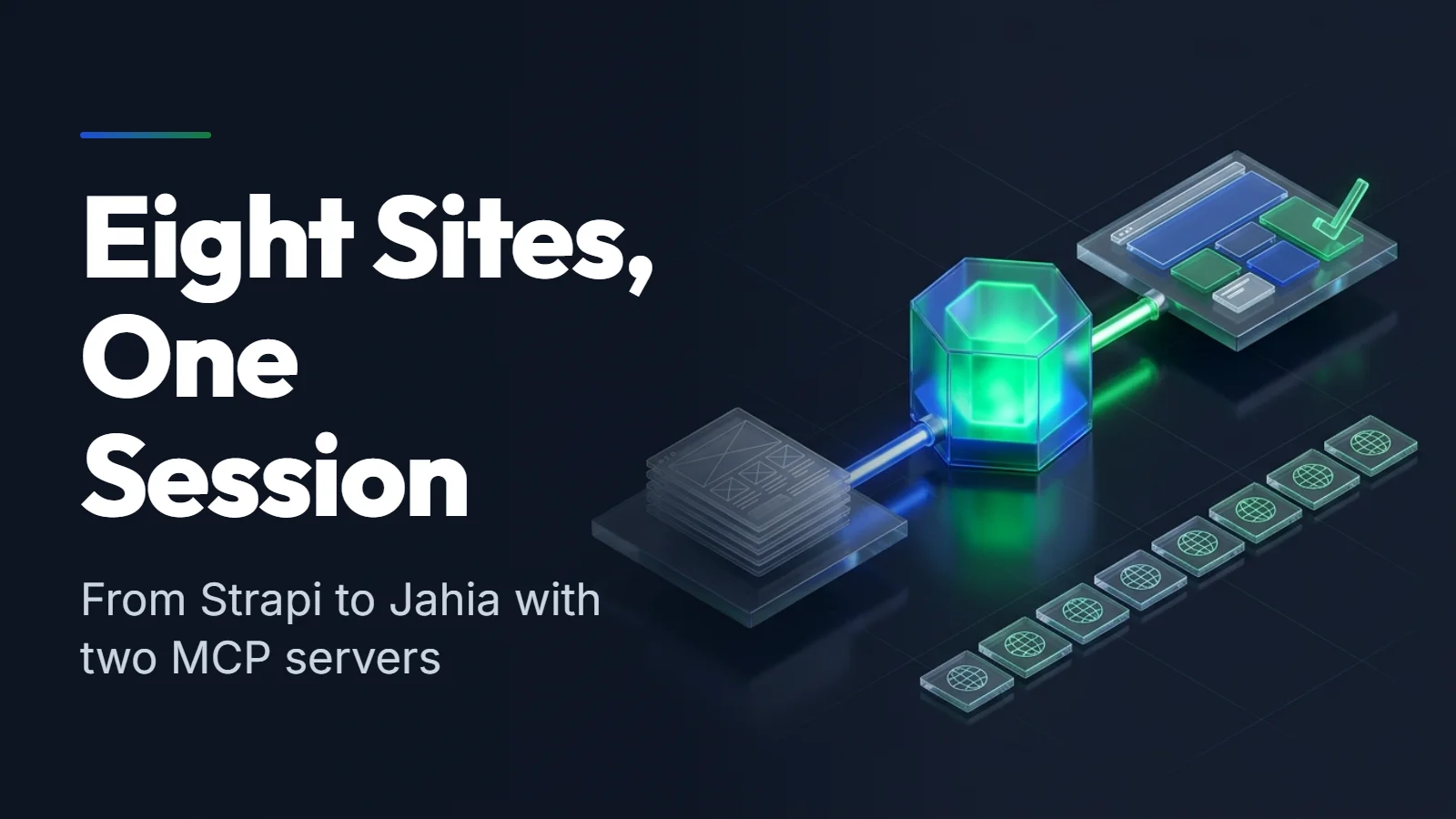
AI-Generated Image
This visual asset was synthesized using an AI image diffusion model.
Disclosed under Article 50, Regulation (EU) 2024/1689.
Governance policy · Machine record
We had a content platform on Strapi with an Astro front end: a main site and seven themed sites, each in English, French and Arabic, originally created as the demonstration platform for Bynder inside Strapi 5: pick DAM assets in the editor, free to use. We wanted all of it on Jahia, with the content, the images and the design intact, and we wanted to see how far an AI agent could carry the work if we gave it the right tools.
It carried nearly all of it: one agent, two MCP servers, one module, eight sites on Jahia. One site, Asset Atlas, does not match page for page yet, and some polish is still open, and we say where below. This post covers why agent-driven migration with the Model Context Protocol beats custom scripts, the toolbox, the pipeline, and the side-by-side proof.
Explore all eight production sites before and after migration:
1 / 8 Swipe the cards
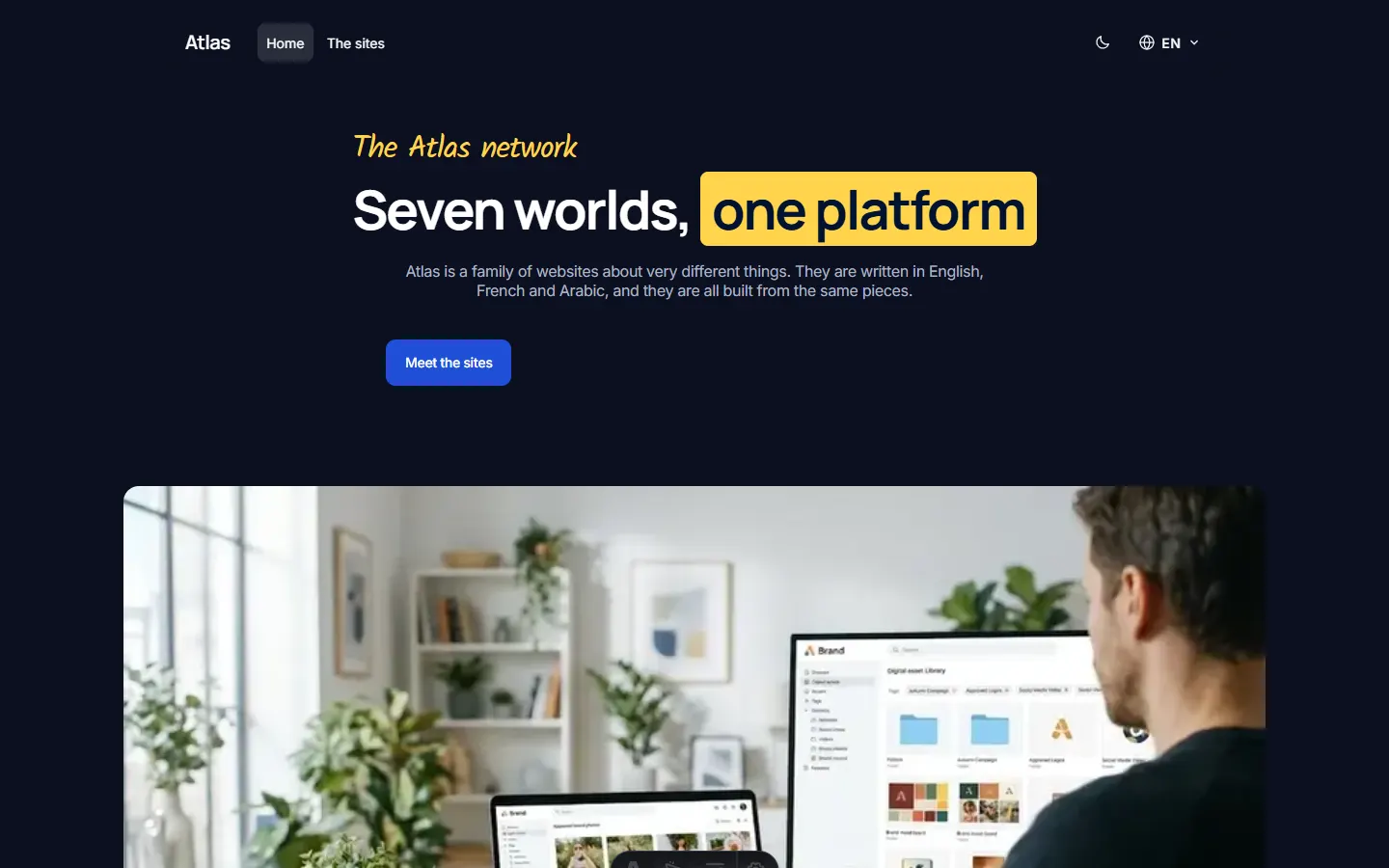 Atlas, the main site · Astro + Strapi
Why scripts fall short
Enterprise CMS migrations have a reputation for blowing budgets and schedules. The usual answer is a custom extract, transform and load (ETL) script, and scripts have familiar weak points:
- Schema mismatch: a flat string in the old CMS often needs to become a typed block, a reference or a localized field in the new one.
- Brittle error handling: one malformed article or missing author can stop the run or import bad data.
- Throwaway code: weeks of glue code, run once, then discarded.
- Black boxes: sometimes there is no database dump, no credentials and no source code, only the live website.
Scripts are still the right tool when source and target are stable and the mapping is fixed: they are cheaper and deterministic. When the schemas differ and the mapping has to be worked out, an agent connected to both systems through MCP replaces the glue code with a conversation: it inspects both schemas, proposes the mapping, moves the content in typed calls, and checks the result.[1]
Two MCP servers, one agent
The Model Context Protocol gives an agent a standard way to call tools on a system.[1] The trick was to connect it to both ends of the migration at once.
Strapi MCP, the reading side. The agent lists and fetches every page, article, event and block from the source. Where the MCP server returns less than we need (event slugs, listings), the agent reads the public REST API as well.[3] It learns the shape of the content from the source itself, not from documentation.
Jahia MCP (customized), the writing side. We started with the community Jahia MCP server and extended it with the tools our migration required, reaching 59 tools in total. Having a customizable MCP server is what turns a migration into an interactive workflow instead of an opaque script. The tool families the agent used most:
| Family | What the agent does with it |
|---|---|
site | creates a fully wired site with its languages and template set |
page | creates the page tree |
content | creates, updates, reads and translates content, typed from the node type definition |
asset | uploads images from a URL straight into the site, with a title and alt text |
publication | publishes the site to the live workspace |
search and executeGraphQL | inspects content types and checks results |
Here is one site going through the whole pipeline. Click a stage, or press play:
Interactive
Follow one site through the migration
Step 1 of 7: DiscoverSwipe
Strapi MCP · reads
list_* / get_*
// one call per Strapi content type
list_pages()
get_page({ slug: "home", locale: "fr" })Jahia MCP (customized) · writes
search_content_types
{ "filter": "hero" }Discover
The agent reads the source content model and the target content types before touching anything.
31 blocks mapped
- …
Give the agent a harness, not only tools
MCP servers let the agent act. A harness tells it how. Jahia publishes one, @jahia/agentic: npx @jahia/agentic@latest installs skills, prompts and instructions for the agent you use (Claude, Codex, Copilot, Cursor, Gemini, OpenCode, Windsurf).[9]
Add your own skills
The harness is still evolving, so we add our own skills for what it does not cover yet: mapping a source to Jahia content types, reasoning about the target structure (page, area, component or reference), and the choices between valid options. Skills are plain SKILL.md files that live in the project, in .claude/skills or .agents/skills.[10] Ours mostly start with gladtek-jahia-, so a harness update never overwrites them.
The harness has not really been tested from an external point of view. Some of its skills call MCP tools that do not exist in the public community servers, which is why we created our own custom MCP on top of it.
When you have no access to the source
We did not need this path here, because both platforms speak MCP. For a black-box source, for instance after an acquisition or an agency handover, the same approach starts from two public inputs: the live domain and its XML sitemap.[4]
flowchart TD
    Sitemap["Public sitemap<br/>(sitemap.xml)"]
    Agent["AI migration agent"]
    Web["Public pages<br/>(rendered HTML)"]
    TargetMCP["Target CMS<br/>MCP server"]
    TargetStore["Target CMS<br/>(structured nodes)"]

    Sitemap -->|"1. Parse URLs"| Agent
    Agent <-->|"2. Fetch semantic HTML"| Web
    Agent -->|"3. Extract metadata<br/>and clean content"| Agent
    Agent <-->|"4. Typed mutations"| TargetMCP
    TargetMCP -->|"5. Store content<br/>and media"| TargetStore
The agent reads the sitemap, fetches each page, takes titles, dates and authors from the JSON-LD and OpenGraph metadata[5], keeps the <main> content and drops navigation and banners, then creates the entries in the target through its MCP server.
Treat everything the agent reads from a public page as untrusted. A page can contain text written to give the agent instructions, and the agent holds write access to your CMS.[11] Give the migration token access to the target site only, and review what it created.
A design system that editors can use
On the Jahia side we built one JavaScript module in TypeScript and React.[2] Every Strapi component became a Jahia content type plus a server-rendered view, 31 blocks in all: hero (four layouts), feature cards, tabs, pricing, timeline, gallery, podcast and video players, listings, events and more. Around them sit a dropdown navbar, a footer, article pages, and a theme per site.
Because each block is a normal content type, editors keep drag and drop, reordering, per-language fields and the usual Jahia workflow. A trimmed example:
[assetatlas:hero] > jnt:content, assetatlasmix:component, assetatlasmix:sectionFields orderable - layout (string, choicelist) = 'split' indexed=no < 'split', 'stacked', 'card', 'centered' - image (weakreference, picker[type='image']) + * (assetatlas:cta)To populate this block, the agent does not fiddle with SQL or raw JCR sessions. It calls a typed tool (content_create) with the parent path, the node type and the properties. The server reads the node type definition to decide which properties are localized and which hold several values, so the agent does not have to guess. A whole hero, with its layout, text, bullet points and picture, is a single call:
{ "tool": "content_create", "arguments": { "parentPath": "/sites/asset-atlas/home/main", "nodeType": "assetatlas:hero", "name": "01-hero", "locale": "en", "properties": { "jcr:title": "Where the past meets the pixel", "eyebrow": "Test", "layout": "split", "points": ["First point", "Second point"], "image": "/sites/asset-atlas/files/atlas/bf_home_hero.jpg" } }}The title is jcr:title, the image is a reference to a file already in the site, and the bullet points are a list. The blocks of a page live in a main area (assetatlas:pageArea), which page_create does not create, so the agent creates it once per page with content_create before the first block. We checked this on a test page: the hero renders with its picture in English, French and Arabic.
The French and Arabic headings follow on the same node with content_translate, while properties that do not vary by language, like the layout, are written once:
{ "tool": "content_translate", "arguments": { "path": "/sites/asset-atlas/home/main/01-hero", "locale": "fr", "properties": { "jcr:title": "Quand le passé rencontre le pixel" } }}The agent supplies the translated text and the tool stores it. content_translate works like content_update, with one difference: every property that can carry a language is written in the given locale. If a property is not part of the node type, the server leaves it out and says so, instead of Jahia refusing the whole node over one stray field.
Links between pages are real internal links, never hardcoded URLs, so they survive a language switch.
Checked, not just eyeballed
To compare the sites without squinting, the agent runs a small harness. For each page it fetches the Astro version and the Jahia version, then compares headings, images, links, word counts, lang and dir (essential for Arabic), the navigation and the footer, and every detail page.
| Site | Pages compared | Result |
|---|---|---|
| Museum Atlas | 12 pages + 15 detail pages | all match |
| Drive Atlas | 12 pages + 33 detail pages | all match |
| Shop Atlas | 12 pages + 30 detail pages | all match |
| Studio Atlas | 12 pages + 33 detail pages | all match |
| Stay Atlas | 9 pages | all match |
| Atlas, the main site | 6 pages | all match |
| Food Atlas | 30 detail pages | text and links match |
| Asset Atlas | 69 pages | 67 match |
On Asset Atlas, 67 of the 69 pages matched on the first pass. The harness flagged the other two, and they are on the fix list for the next pass.
That harness answers one question: does the Jahia page contain what the Astro page contained. It says nothing about whether the page is usable for everyone or findable in search, and a migration can change both without changing a single word. Two more automated checks belong in the same loop, run on every migrated page before cutover:
- Accessibility: axe-core, run in a real browser, applies its full WCAG and best-practice rules to each page.[6] Treat any violation as a failure: missing or empty alt text, low contrast in a new theme, a heading level skipped by a block, a form field without a label, or a link with no discernible text. Check the Arabic pages separately, because right-to-left layout moves focus order, icons and punctuation.
- SEO: the Lighthouse SEO audits fail a page for a missing title or meta description, a non-crawlable page, vague link text, missing image alt text, or broken
hreflanglinks.[7] The last one matters most for a site in three languages: every English, French and Arabic page must point to its two translations, and each translation must point back, or search engines may ignore the annotations.[8]
Run both before and after the move and compare. A page that scored clean on the old site and fails on the new one is a regression you introduced, and a page that fails on both is a bug you inherited and now know about.
See it for yourself
Drag the handle: the left side is the original Astro page, the right side is the same page rendered by Jahia from migrated content. Same viewport, same moment.
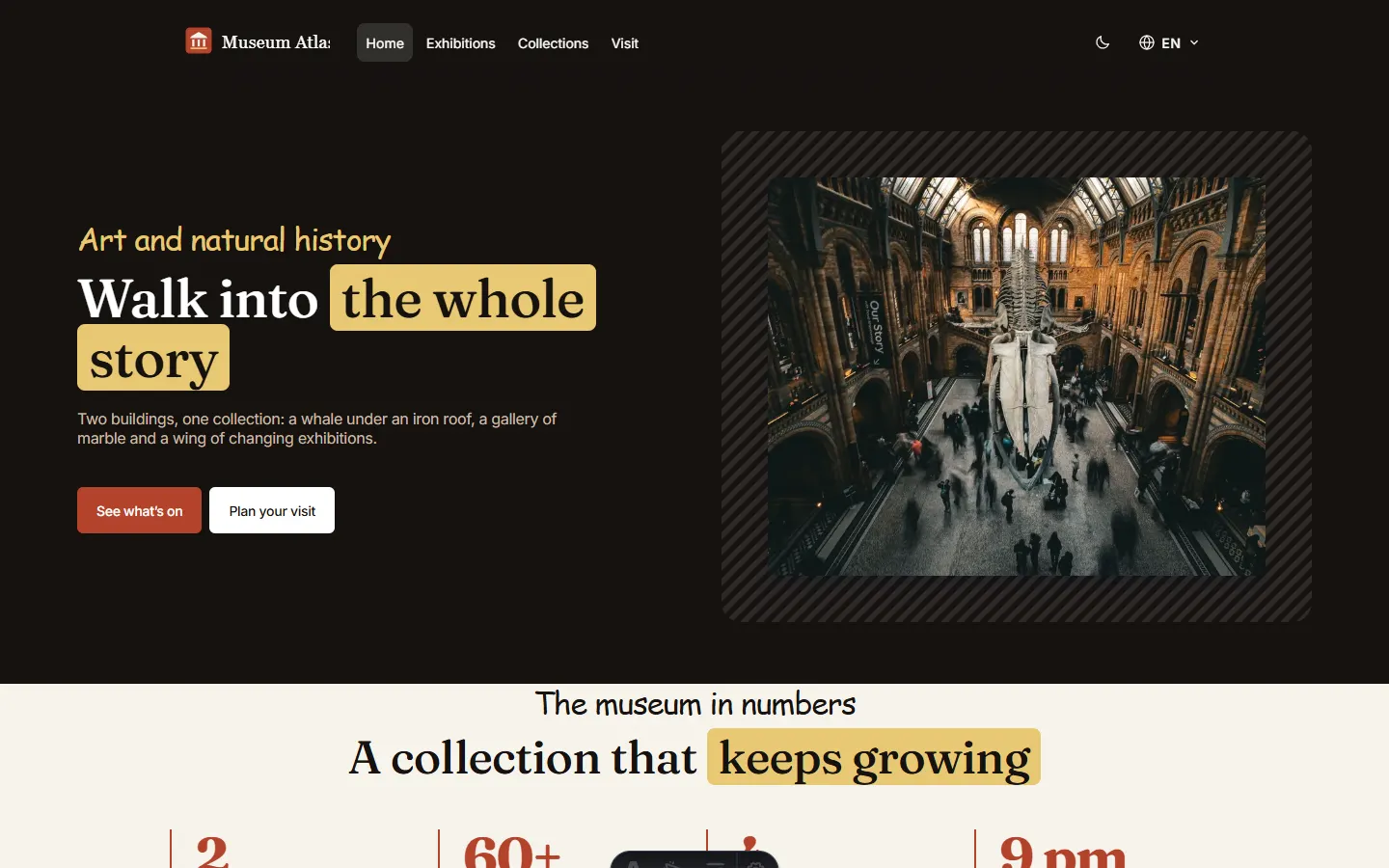
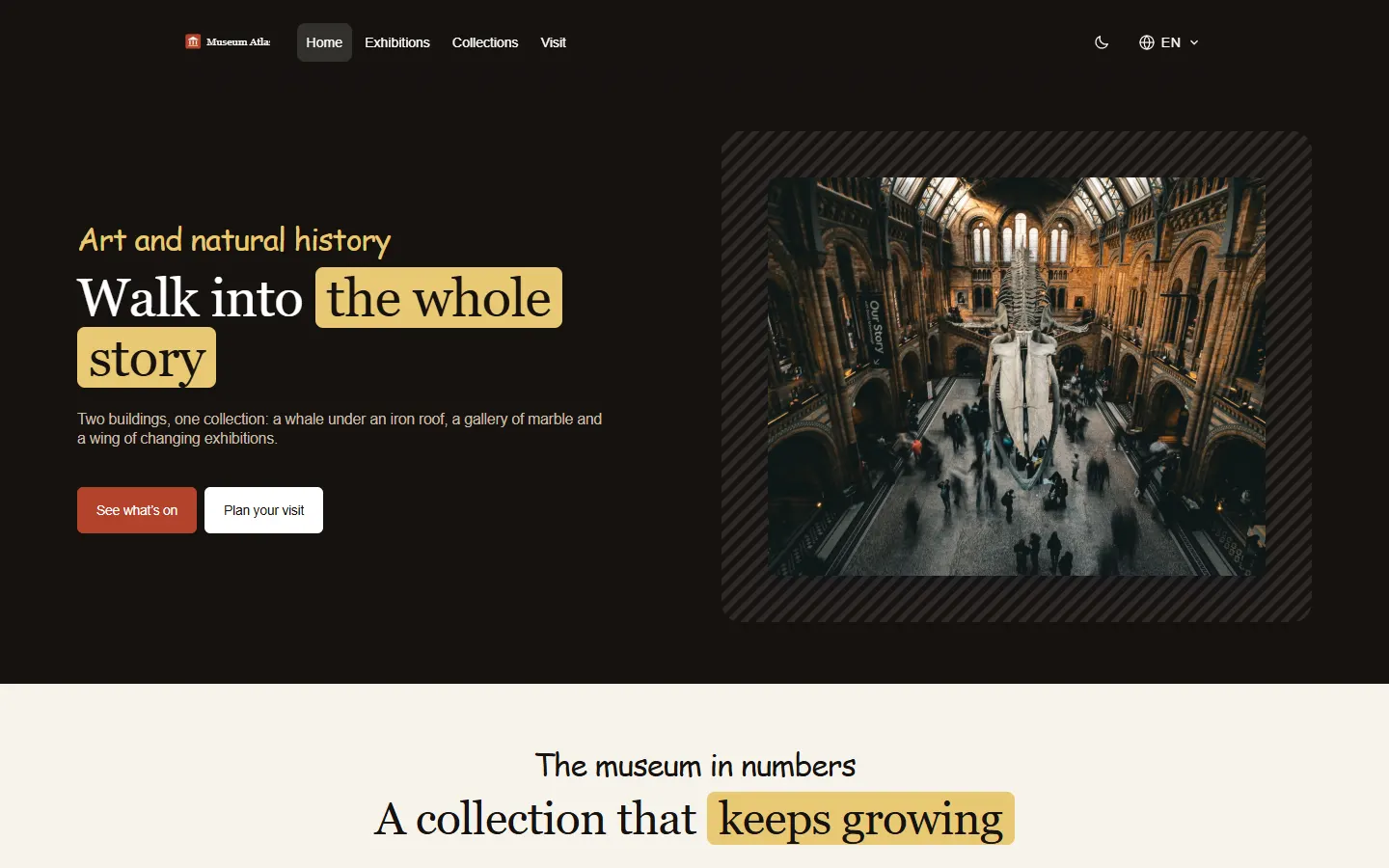
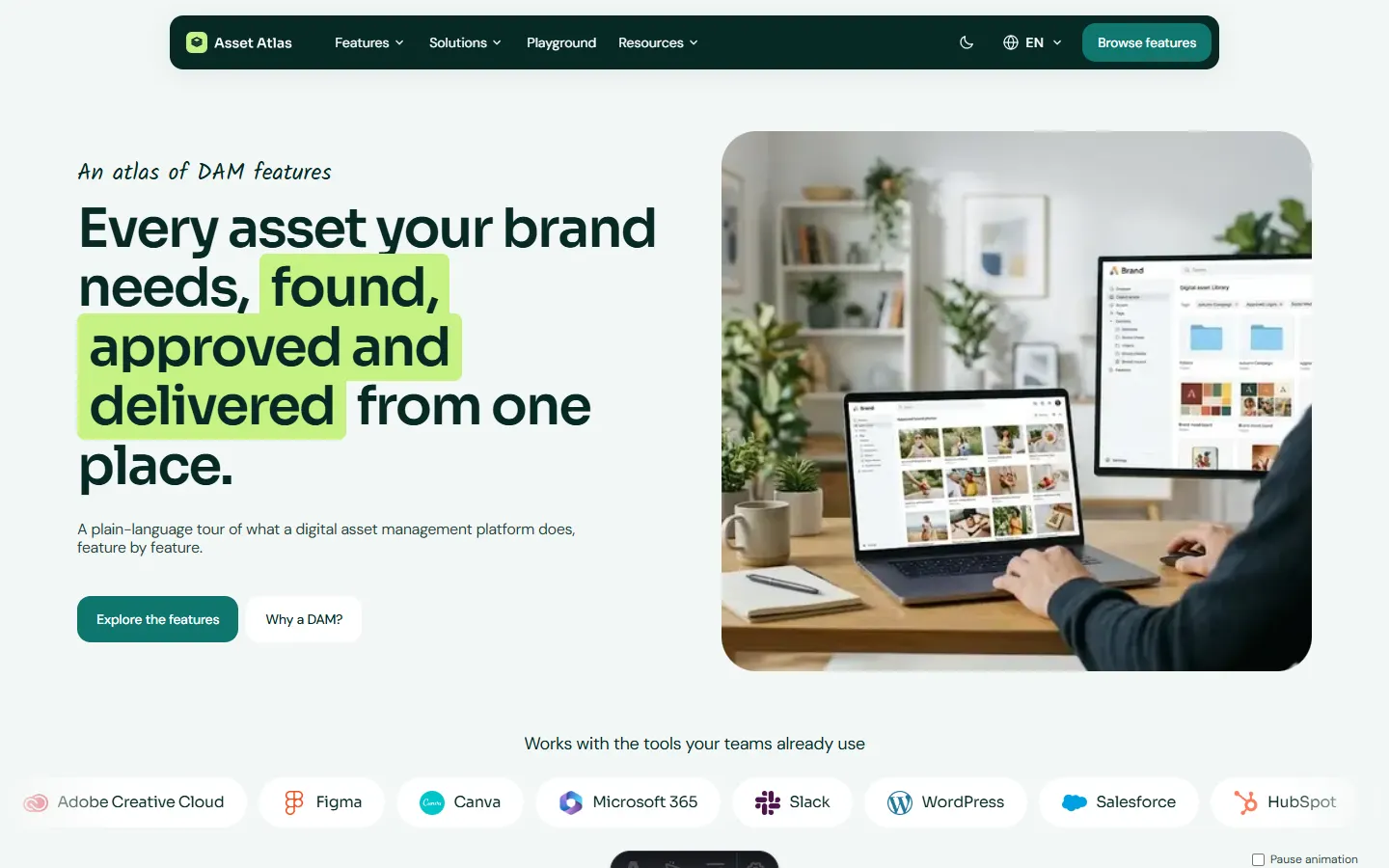
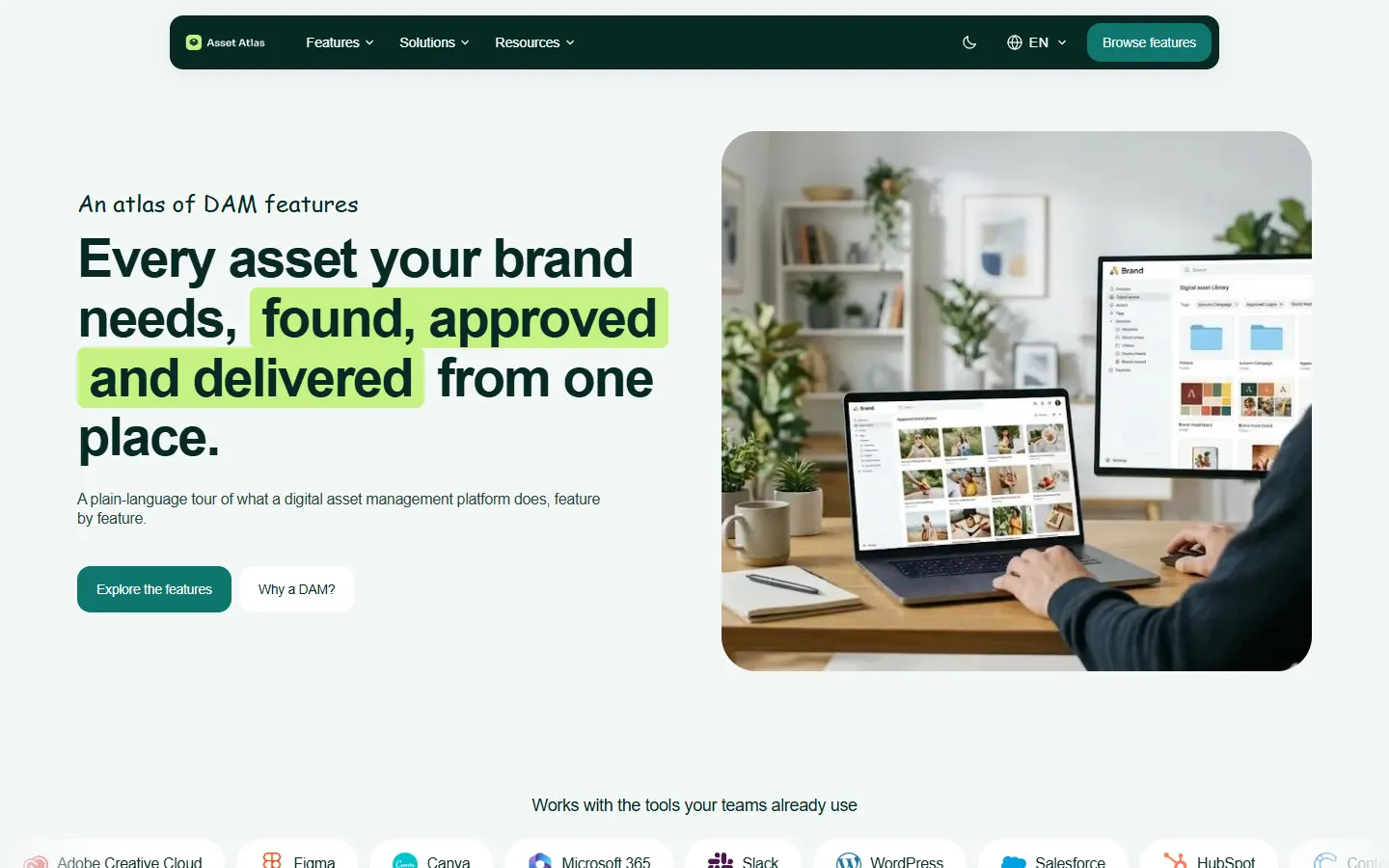


All eight sites now run on one Jahia module, each with its own theme, logo, menu and footer, as shown in the interactive deck above.
Built to be multilingual from the first call
English, French and Arabic are not an afterthought. The agent writes every title and every block’s text in all three languages as part of building each block:
- Three languages per block: a block is created in English, then
content_translateadds French and Arabic on the same node before the agent moves on, so no language is left to backfill later. - Right-to-left checked: the comparison harness reads
langanddiron every page, so an Arabic page that loses its right-to-left direction shows up as a difference. - Language-safe links: internal links point to pages, not to typed URLs, so they follow the visitor when the language changes.
A page that works in English works in French and Arabic because the pipeline treats language as part of the content model, not as a file translated after cutover. The hreflang check in the section above is the one to add if you want search engines to see the same thing.[8]
Images that mean something
Pictures came from the same Bynder DAM library the sites already used, originally integrated in our demonstration of Bynder inside Strapi 5: pick DAM assets in the editor, free to use.
We had two options for carrying them over:
- Use the Gladtek picker, which lets editors choose between Bynder and Jahia assets, so the images stay in the DAM.
- Upload the current pictures into Jahia, which exercises the asset tools of our customized MCP server.
On this first run we took the second option, on purpose, to test the Gladtek Jahia MCP customization. The agent read each image entry in Strapi and uploaded the picture from its URL straight into the target site, with a title and alt text. For the four principles of the Food Atlas page, that meant an on-point picture for each step: fresh produce, ripe fruit, a warm bread roll and a plated salad. The picker route remains open for sites that want the DAM to stay the source of truth.
Why this approach works
The agent never worked blind. It read the real source content, inspected the real target types, and left a check behind every stage. Every block was created through a typed call, and the comparison harness turned “looks right” into a result you can read.
- Two-ended MCP: reading and writing through typed tools removed the glue code a script would need.
- Content types first: once the module existed, filling it was repetition the agent is good at.
- Checks as a habit: every stage ended with a comparison, so problems showed up at the stage that caused them.
- Extending the server for the job: the community Jahia MCP server gave us the base, and we added the specific tools the migration needed as we went. When we needed to upload images straight from URLs with a title and alt text, or write localized content typed from the node definition, we added an MCP tool rather than writing throwaway scripts.
- Zero discarded code: the custom MCP tools keep working after the migration for daily content operations, automated authoring and search.
- Decisions written down once: our own skills hold the mapping, the target structure and the choices, so they are not decided again on every site.
- Schema tolerance: the agent can work around odd edge cases instead of halting the whole run, which is why every stage ends with a check. Nothing depends on database drivers or vendor export plugins.
A checklist for your own migration
Migrating an enterprise platform between different content paradigms (such as Strapi to Jahia) succeeds or fails on schema discipline and automated verification. A checklist that applies to any migration between different content models:
1. Pre-flight and schema discovery
- Introspect and lock the target schema first: define content types, validation constraints, taxonomies, and asset fields in the target CMS before writing any migration logic.
- Deploy MCP servers with introspection tools: ensure the target MCP provides tools to read content types and their definitions, create entries, and upload assets.
- Establish the source access path: prefer a native source MCP server or REST API; if migrating from a black-box source, verify that
sitemap.xmlprovides clean URL discovery and that rendered pages expose JSON-LD and OpenGraph metadata. - Map structural paradigms explicitly: identify how collection types and single types in the source map into page trees, areas, and component nodes in Jahia. Decide how parent-child breadcrumbs and page routing are resolved.
2. Execution and content transformation rules
- Create referenced entities before containers: migrate independent entities first (taxonomies, author profiles, categories, DAM assets), then modular component blocks, and finally parent pages and navigation menus.
- Enforce idempotency across all tool calls: give every node a deterministic name and check for it before creating. An interrupted run must be safely re-runnable without duplicating nodes or orphaned child elements.
- Treat localization as an atomic operation: never migrate a single language and backfill translations later. Write all target locales (English, French, Arabic) for a block before moving to the next one, so no page is ever half translated.
- Sanitize rich text to structured AST: strip legacy vendor HTML classes and inline CSS. Parse rich text into structured JSON nodes or modular sub-blocks, converting raw internal URLs into typed entity links that survive domain cutover.
- Asset policy: decide up front whether the DAM (such as Bynder) stays the source of truth, through a picker, or whether the images move into the new CMS. If they move, upload each one from its URL and attach alt text at ingestion time, instead of exporting files by hand.
3. Verification and cutover checks
- Run a representative pilot batch: migrate a diverse sample of 15 to 20 pages covering every component layout, language direction, and media type before launching the full catalog.
- Automate the audit: run the parity check from the section above on every page, plus axe-core and the Lighthouse SEO audits (including
hreflang), plus a keyboard-only pass over the interactive blocks. - Compile 301 redirect maps: generate redirects for any URL path alterations, verify DNS TTLs are lowered 48 hours in advance, and confirm workspace publication passes all integrity checks.
Next on the list are polish items: loading each site’s web fonts in the module, matching logo sizes exactly, and a browser pass over the interactive blocks (tabs, carousels, players).
If you are planning a similar move, our Jahia services cover module development and migrations, and the earlier post on building a Jahia demo with agentic AI shows the design side of the same workflow. For agent-ready front ends, see AI-ready web architecture with Astro.
About the Authors

Co-written with AI

AI assistant by Anthropic, collaborating with the Gladtek team to produce technical content on enterprise CMS, Astro, and AI-ready web architecture.

Advanced AI model by Google, collaborating with the Gladtek team on web engineering, enterprise architecture analysis, and full-stack performance optimization.
Sources
- [1]Model Context Protocol: Introduction
- [2]Jahia JavaScript modules (GitHub)
- [3]Strapi REST API documentation
- [4]Sitemap XML Protocol 0.9
- [5]W3C JSON-LD 1.1 Specification
- [6]axe-core: accessibility testing engine (Deque, GitHub)
- [7]Lighthouse: SEO audits (hreflang)
- [8]Google Search Central: localized versions of your pages
- [9]@jahia/agentic: an agentic harness for Jahia (GitHub)
- [10]Agent Skills specification
- [11]OWASP Top 10 for LLM Applications: prompt injection