Drafted with AI assistance
A language model produced the first draft from a human brief. A person then verified the claims, rewrote, and approved it.
- Editorially responsible
- Ahmed Chaabni
- Human review
- Model
claude-3-5-sonnet
Disclosed under Article 50, Regulation (EU) 2024/1689.
Governance policy · Machine-readable record
Building a Jahia Westworld Demo with Agentic AI: From Specs to Video
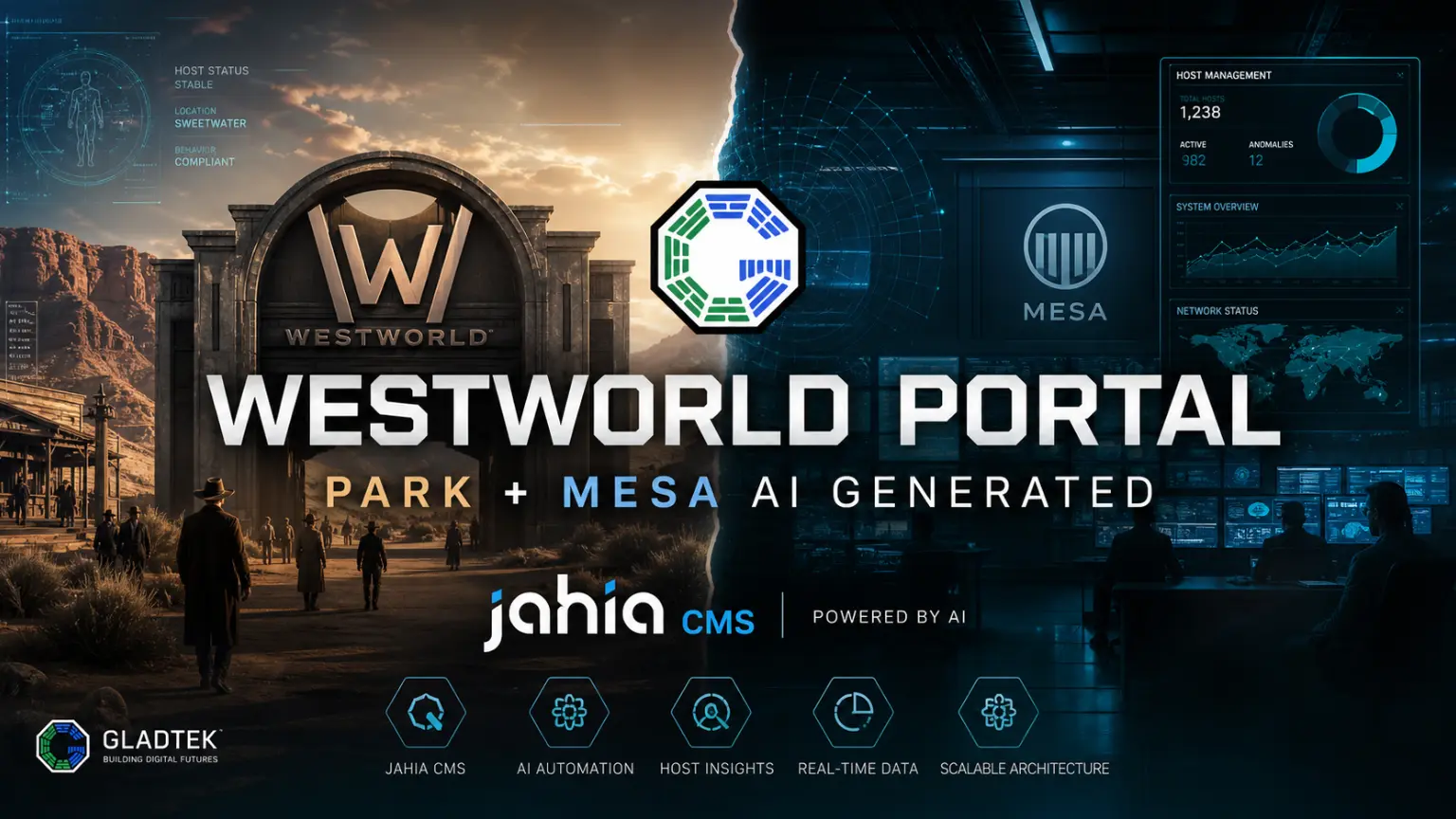
A full walkthrough of building a Westworld-themed Jahia website and admin portal with AI agents, from detailed specifications and an HTML design system to a polished demo video.
- 1Introduction
- 2What went in before generation
- 3Workflow setup
- 4What worked
- 5Jahia agentic skills
- 6Gladtek Jahia skills
- 7Playwright
- 8HyperFrames
- 9What was weak
- 10Jahia agentic layer
- 11Developer experience
- 12Video presentation layer
- 13What we’d do differently
- 14Pros and cons
- 15Jahia agentic skills
- 16Gladtek Jahia skills
- 17Playwright
- 18HyperFrames
- 19Lessons for AI-Assisted CMS Implementations
Introduction
A proof of concept was built around a Westworld park themed website and an admin portal for managing hosts, using Jahia as the CMS foundation and extending it with custom Gladtek skills, Playwright, and HyperFrames. The result was functional. It also surfaced clear technical limits in Jahia’s current agentic and developer experience worth documenting.
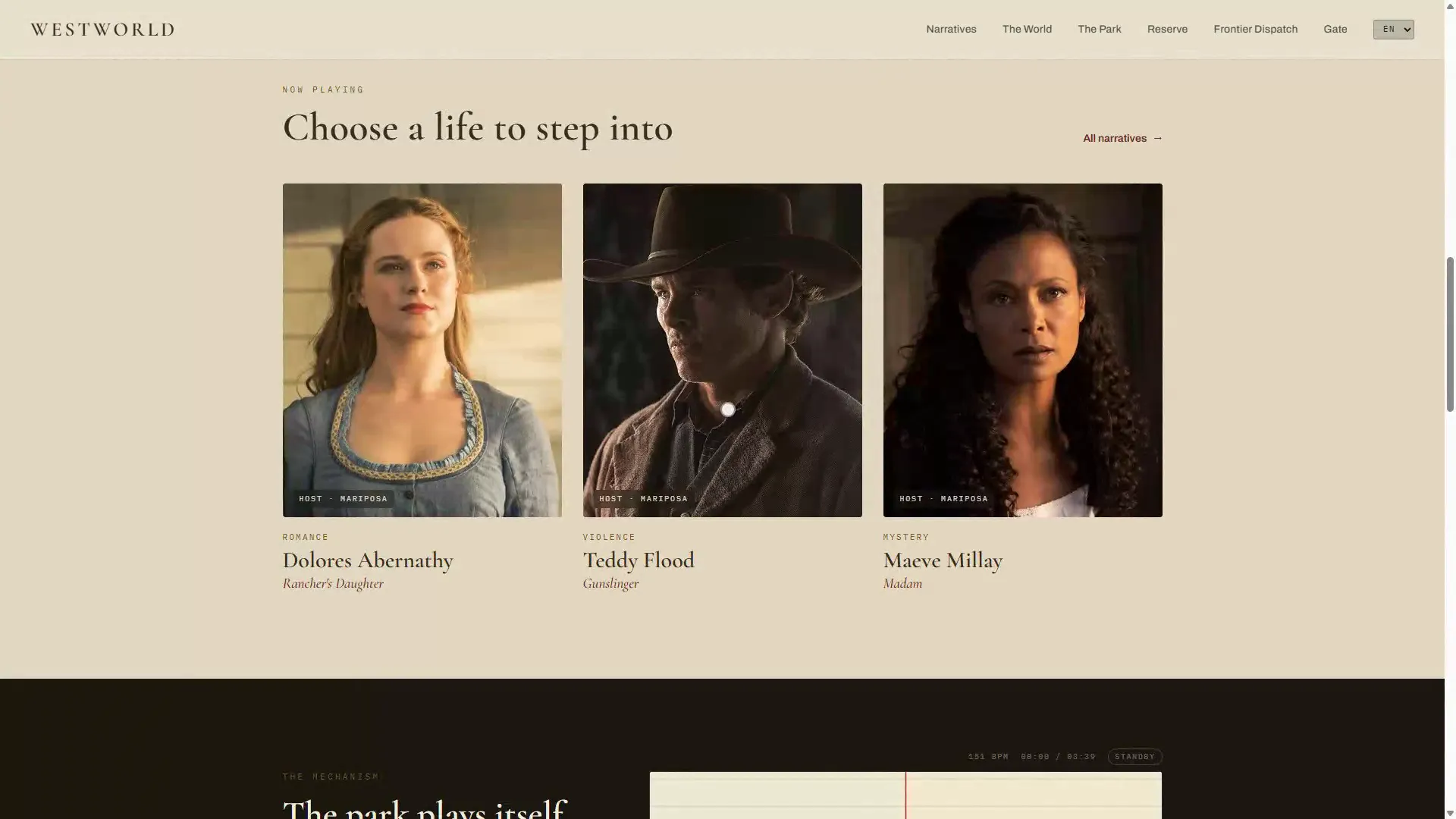
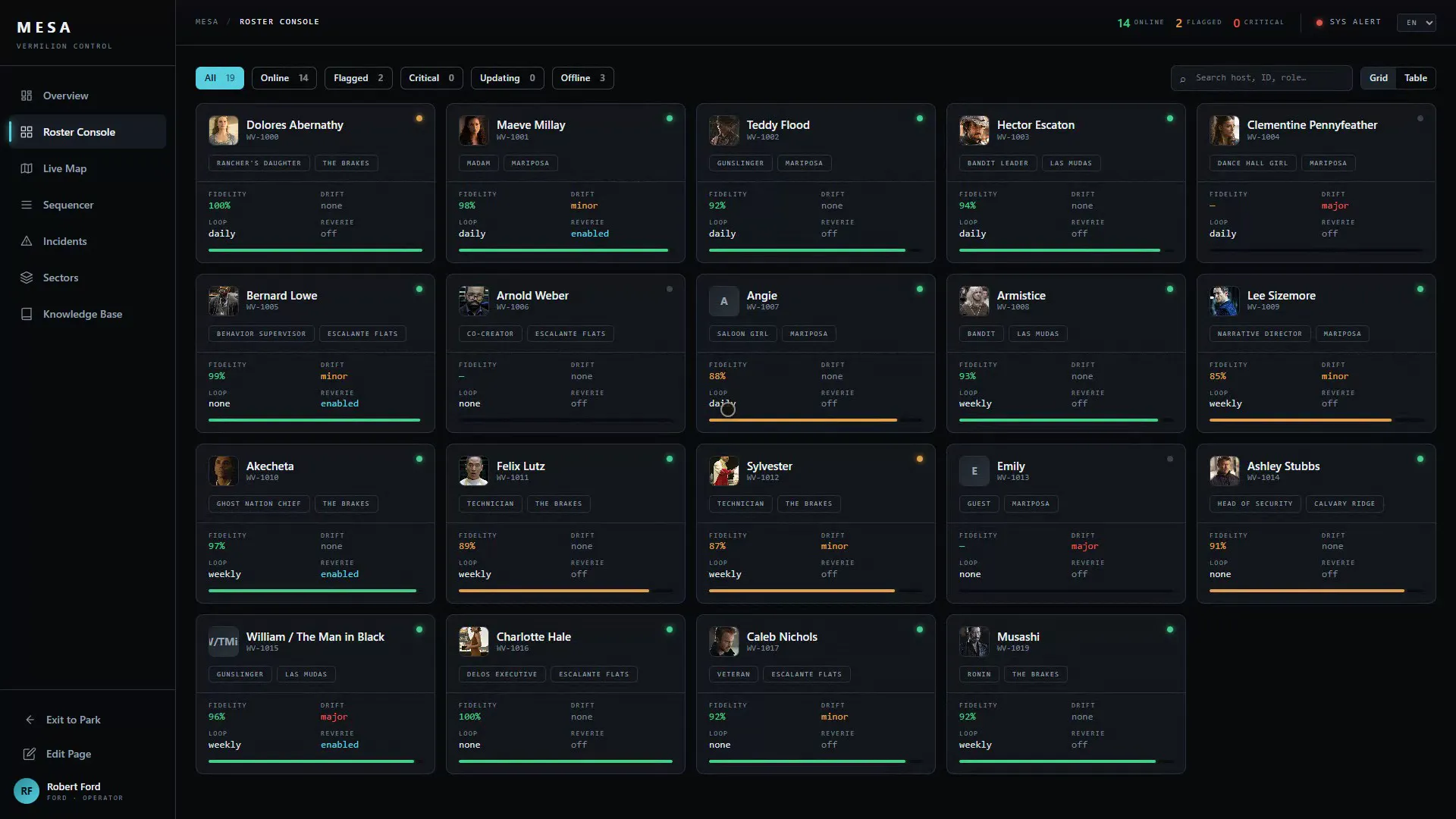
The project covered two parts: a public-facing themed website and an admin portal with dashboards, authentication, and profile areas. The whole setup was treated as a proof of concept rather than a production-ready delivery. It became workable only after adding Gladtek-specific Jahia skills to fill gaps left by the agentic layer.
What went in before generation
The quality of AI-assisted generation depends heavily on what you feed it. For this project, the input layer was prepared in advance and covered three things:
- Detailed specifications describing the Westworld park context, the content model, the portal features, and the expected behaviors across both the website and the admin area.
- Rules defining how the agent should approach generation, what to avoid, and how to handle edge cases like permissions and module wiring.
- An HTML design system (done manually using another AI agent) that gave the front-end generation a concrete visual foundation to work from, rather than letting the agent invent its own structure.
This preparation is what allowed the agentic layer to produce usable output from the start. Without it, generation tends to drift, require more correction passes, and produce results that are harder to review. The specifications and design system are not optional overhead. They are the actual input to the generation pipeline.
Workflow setup
The workflow had four layers:
- Jahia agentic skills for content definitions, module scaffolding, page creation, and content creation.
- Gladtek Jahia skills to handle permissions and cover missing implementation gaps not addressed by Jahia’s layer.
- Playwright for automated walkthroughs and browser video recording across both the website and the admin portal.
- HyperFrames for presenting the Playwright recordings and adding motion-design transitions between use cases.
graph TD
classDef defaultNode fill:#f8fafc,stroke:#cbd5e1,stroke-width:2px,color:#334155,rx:8px,ry:8px;
classDef gladtekNode fill:#eff6ff,stroke:#3b82f6,stroke-width:2px,color:#1e3a8a,rx:8px,ry:8px;
classDef actionNode fill:#f0fdf4,stroke:#22c55e,stroke-width:2px,color:#14532d,rx:8px,ry:8px;

A["Jahia Skills<br/>Scaffolding & Content"]:::defaultNode --> B["Gladtek Skills<br/>Permissions & Gaps"]:::gladtekNode
B --> C["Playwright<br/>Automated Walkthroughs & Recording"]:::actionNode
C --> D["HyperFrames<br/>Motion Design & Presentation"]:::actionNode
This setup turned the exercise into more than a CMS content demo. It became a complete proof-of-concept pipeline covering generation, interaction walkthroughs, and technical showcase video output.
What worked
Jahia agentic skills
The skills used in this project came from the Jahia agentic repository, which is open source. Jahia may also have an official skill set that is not yet public, so the picture could look different once that becomes available.
Jahia’s agentic layer was useful in areas where structure and scaffolding matter most. In this project, the strongest parts were content definitions, module scaffolding, page creation, and content creation.
That made Jahia useful for getting a first working base quickly. For early-stage acceleration, especially in a proof-of-concept context, this kind of scaffolding support is valuable.
Gladtek Jahia skills
Gladtek skills played a practical rather than decorative role. They were built from real iteration on previous projects, covering gaps that surfaced during generation and could not be solved with Jahia’s default skill set alone. The main areas they covered:
- Permissions and roles - defining and assigning role-based access for authenticated areas of the admin portal, something the native agentic layer had no skill for.
- Automatic website recreation - a skill that could rebuild a prepackaged site structure from scratch, which became essential after failed generation attempts that left the environment in a broken state.
- Vite-related project setup - handling front-end scaffolding for Vite-based modules where documentation was missing and the agentic layer could not reliably complete the setup.
These skills were not planned upfront. They were created in response to specific failures during the project, which is what gives them their value. Each one encodes a real lesson from a real retry.
This is an important distinction for architects and buyers. The successful outcome came from combining Jahia’s layer with a custom domain layer, not from relying on the CMS alone.
Playwright
Playwright was used to automate the journey of a guest visiting different pages and to showcase administration tasks around hosts, incidents, sectors, and related portal actions. It also served as the recording layer for demo walkthroughs covering both the website and the portal.
In this project, Playwright did its job cleanly. No major recording or automation issues were reported in the workflow itself.
HyperFrames
HyperFrames was used to package the recorded flows into a more coherent technical showcase. It helped present the Playwright-recorded sequences and add motion design transitions between use cases.
Its role was useful, but bounded. It supported the presentation layer rather than removing the need for design work.
What was weak
Jahia agentic layer
The main issue was not that Jahia’s agentic output was wildly wrong. The larger problem was that it had gaps.
There were no server actions available out of the box in this workflow, which meant backend logic still had to be implemented in a separate OSGi project. That reduces the practical reach of AI-assisted generation when the use case moves beyond structure and content into real application behavior.
The setup also became less reliable when moving from properties-based definitions toward JSON-style handling. At that point, the agent started guessing, which made review necessary before acting on the output.
Developer experience
Validation in Jahia core was very weak for TypeScript modules. Error logs were not clear or significant enough to guide debugging efficiently, which slowed iteration and reduced confidence in the generated output.
One small mistake in a content definition file and Jahia will log something completely unrelated. The real error is buried or missing entirely, which makes debugging feel like guesswork.
The surrounding developer experience was one of the weakest parts of the project. Vite-related projects in Jahia are on their way but not yet stable, which made the front-end side harder to navigate than it should have been.
Video presentation layer
The video pipeline worked, but the final visual system was not fully standardized. What was missing was a prepared motion design language before starting the packaging step: defined typography for titles, a consistent color palette for overlays, and a decided transition style. HyperFrames can assemble and animate all of that, but it cannot invent it. Next time, that foundation needs to exist before the recording phase ends.
What we’d do differently
- Define the video design system before recording. Typography, color palette, and transition style need to exist before the packaging phase starts. HyperFrames cannot invent that foundation.
- Use a dedicated screen recorder for the final video. Playwright’s recording is functional but not full HD. Running OBS alongside would produce sharper output without changing the automation workflow.
Pros and cons
Jahia agentic skills
- Useful for content definitions, module scaffolding, page creation, and content creation.
- Good for getting an early proof of concept moving quickly.
- No server actions out of the box in this workflow, so backend logic still required a separate OSGi project.
- Output had gaps and needed revision before use.
- Weak validation and poor error feedback slowed development, especially with TypeScript modules.
Gladtek Jahia skills
- Covered permissions and missing implementation gaps.
- Made the proof of concept workable where native Jahia skills alone were not enough.
- Added dependency on a custom skill layer rather than a standard out-of-the-box CMS capability.
Playwright
- Automated both guest-facing and admin-facing journeys effectively.
- Supported demo walkthroughs and video capture across the website and the portal.
- Video recording quality was not full HD. Playwright is not a screen recorder by design, and a dedicated tool like OBS would have produced sharper output for the final demo.
HyperFrames
- Useful for assembling recorded material into a technical showcase with transitions.
- Fits well when HTML, CSS, and JavaScript are part of the broader production workflow.
- Still requires a defined visual system to produce a polished result.
- Did not remove the need for custom design effort.
Lessons for AI-Assisted CMS Implementations
This project highlights how AI-assisted development pipelines can adapt to different content management systems. By combining custom agentic skills, automated user journeys via Playwright, and presentation styling using HyperFrames, it is possible to build functional prototypes even on platforms with evolving API surfaces.
Similar workflows have been tested on other platforms, including WordPress and Magnolia CMS. In those cases, the native agentic capabilities were sufficient without requiring custom skill extensions. This suggests that while agent-based CMS development is highly adaptable, the need for custom tooling remains dependent on the specific platform’s current level of maturity and API integration.
Interested in an AI-assisted CMS engagement?
Whether you are on Jahia, WordPress, Magnolia, or something else - we can walk you through what this kind of pipeline would mean for your project.